
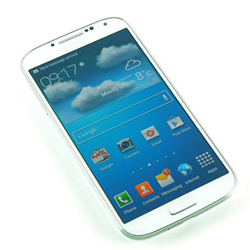
 With its dual quad core processor set up, 2GB RAM, and a huge HD display, the Galaxy S4 is a killer device. It easily beats the iPhone 5 in terms of raw power, and its software feature put it ahead of the game when compared to the HTC One.
One thing that may bring down your experience is that the Galaxy S4 comes locked to the network you’re purchased it from. This means that you are stuck with that networks deals and can’t switch to any other network without unlocking.
To unlock your Wind Samsung Galaxy S4, Wind will want you to call them up and ask for an unlock code. This can be expensive and time consuming, but luckily we have an alternative for you.
Here at SafeUnlockCode you can get your Samsung Galaxy S4 unlocked easily. It’s safe and secure, costs less than what your network will charge you, and is 100% guaranteed to work- or your money back!
Guidelines You Need to Follow
Send us the following to begin the unlock process-
- IMEI number- This can be found by dialing *#06# or by searching for it on the sticker underneath the phone battery. It will be 15 or 16 digits long
- Country- We’ll need to know the country you bought your phone on.
- Network- We’ll need to know the network you are locked to as well.
We cannot refund you if you enter the IMEI number in wrong. Please make sure you enter all details correctly as it costs us to fetch a code every time an IMEI number is entered, regardless if it’s yours or not.
How to Unlock
To start, switch off your phone and enter in a brand new SIM (one that isn’t on the Wind network) Turn your phone back on and you will be greeted with a display asking for an unlock code. Enter the unlock code into the screen and you will become unlocked.
If you don’t see the unlock screen or are having other problems, contact us.
Related news:
- How to Unlock Samsung Galaxy S21
- How to Unlock Samsung Galaxy S10 for At&t, Cricket, T-Mobile, MetroPCS USA
- How to Unlock Samsung Galaxy A8 2018 for T-Mobile USA
- How to Unlock Samsung Galaxy On7 Prime for Canadian Networks
- How to Unlock Samsung Galaxy On7 Prime O2 UK
- How to Unlock Samsung Galaxy On7 Prime T-Mobile USA
Unlock Your Phone Today
Need Help? Contact Us!
Categories
Recent Posts
- How to SIM unlock iPhone 8
- How to Unlock the iPhone 13
- How to Unlock Samsung Galaxy S21
- How to Unlock Samsung Galaxy S10 for At&t, Cricket, T-Mobile, MetroPCS USA
- How to Unlock Xperia XZ Premium AT&T
- How to Unlock Samsung Galaxy A8 2018 for T-Mobile USA
- How to Unlock Samsung Galaxy On7 Prime for Canadian Networks
- How to Unlock Samsung Galaxy On7 Prime O2 UK
- How to Unlock Samsung Galaxy On7 Prime T-Mobile USA
- How to Unlock Samsung Galaxy A8 2018 02 UK
Comments:
Leave Comment: